What is Telegram? A Quick and Accurate Definition
Telegram is a cloud-based, multi-platform instant messaging system focused on speed, security, and developer friendliness. Moving far beyond a simple chat tool, it functions as an independent software ecosystem. It allows users to send messages, photos, videos, and files without restrictive size limits, host one-way channels for millions of subscribers, manage supergroups of up to 200,000 members, and run interactive mini-apps or Web3 games directly inside the app.
The History of Telegram: From Vision to Global Phenomenon
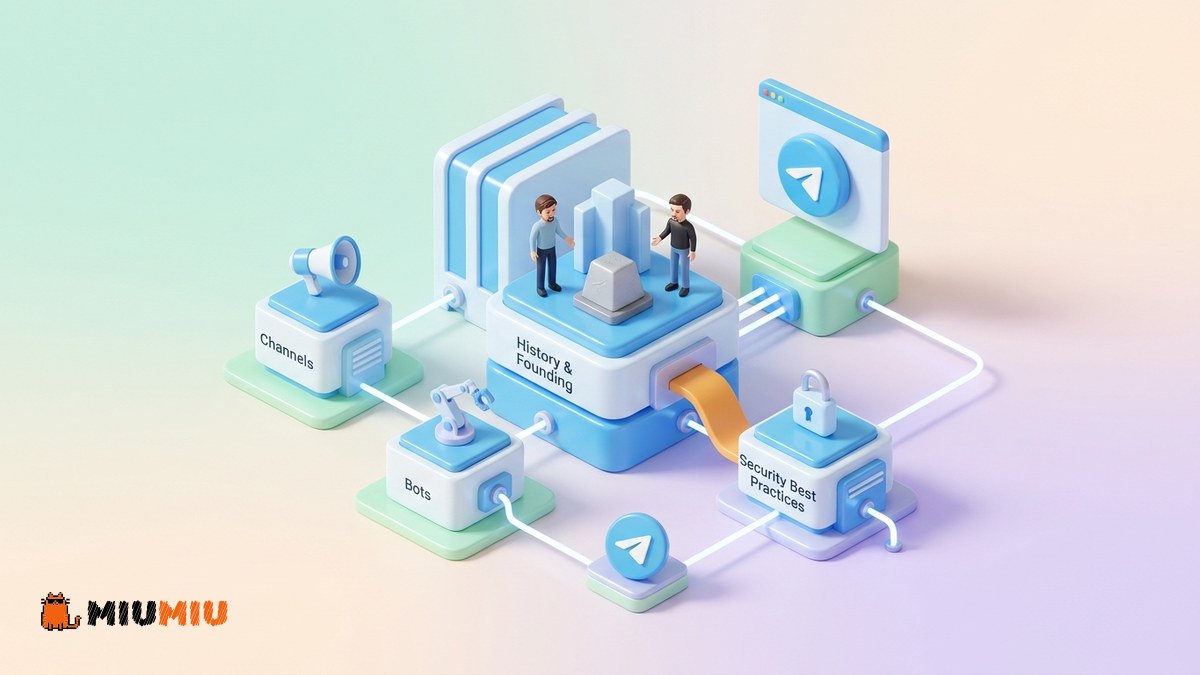
Telegram was founded in 2013 by two brothers, Nikolai and Pavel Durov. Prior to launching Telegram, the brothers founded "VKontakte" (VK), the most popular social network in Russia. After facing intense political pressure to hand over user data of opposition figures to state authorities, they sold their remaining stakes, left the company, and departed Russia.
Nikolai Durov designed the proprietary MTProto communication protocol, which became the foundation of Telegram's speed and security architecture. Pavel Durov provided the financial backing and operational leadership. The iOS client was launched in August 2013, followed by an Android release in October 2013.
Key Milestones and Evolution
- 2015 (The Bot & Channel Revolution): Telegram introduced its open Bot API and launched Channels, shifting its identity from a utility messenger to a powerful content delivery and development platform.
- 2017 (Voice Calls): The introduction of secure, end-to-end encrypted peer-to-peer voice calls.
- 2020 (Video Calls & New Web Clients): Meeting global demands during pandemic lockdowns by implementing highly secure video call options.
- 2022 (Telegram Premium): The introduction of a paid subscription tier offering doubled limits, faster speeds, and exclusive features.
- 2024 (Mini Apps & Stars): Deep integration with the TON blockchain and the rollout of Telegram Mini Apps (TMA), creating an entirely new economy for developers and communities.
Today, Telegram is operated by Telegram FZ-LLC, based in Dubai, UAE, maintaining its stance as an independent global platform.
Technical Architecture: How Telegram Works
The defining technical trait of Telegram compared to legacy messengers is its cloud-based architecture. Messages in standard chats are distributed across secure cloud servers globally. This syncs your entire history instantly across all devices without needing local backups or a primary active phone connection.
The MTProto Security Protocol
Telegram's security relies on the custom-built MTProto protocol, offering two distinct layers of encryption:
- Client-to-Server Encryption: For standard cloud chats, messages are encrypted between the device and Telegram's servers. Decryption keys are split and hosted across different jurisdictions to prevent single-point data breaches or government seizures.
- End-to-End Encryption (E2E): Available exclusively in "Secret Chats". These bypass the cloud servers entirely, remaining accessible only on the sender's and receiver's physical devices. Forwarding is blocked, and self-destruct timers can be applied.
Core Components of the Telegram Ecosystem
Telegram contains several structural pillars designed for unique communication and marketing strategies:
1. Private Chats & Groups
While basic groups support up to 200 members, they can be upgraded to Supergroups supporting up to 200,000 members. Admins gain access to advanced search tools, pinned messages, unified history for new members, and granular permission controls. For communities looking to grow, managing group dynamics is essential.
2. Telegram Channels
Channels are a broadcast tool designed for one-way communication to unlimited subscribers. Only authorized admins can post. Channels form the backbone of Telegram marketing. Creators often use growth strategies to establish social proof. For new channels, services like Telegram Channel Members are sometimes used to build initial authority, though these accounts do not guarantee active engagement.
3. Telegram Bots
Bots are special accounts that do not require a phone number to set up. Powered by external servers via Telegram's API, they process queries, automate moderation, accept payments, and render full web pages as Mini Apps directly in the interface.
Comparison: Telegram vs. WhatsApp vs. Signal
To better understand Telegram's place in the market, here is how its core structural features compare with its competitors:
| Feature | Telegram | Signal | |
|---|---|---|---|
| Default Encryption | Client-to-Server (Cloud) | End-to-End (E2E) | End-to-End (E2E) |
| Group Member Limit | 200,000 members | 1,024 members | 1,000 members |
| File Sharing Limit | 2 GB (4 GB Premium) | 2 GB | 100 MB |
| Bot & App Platform | Extremely advanced | Limited business API | None |
| Multi-device Sync | Instant & Native | Device-dependent | No cloud backup |
Risks and Realities: What You Must Know
Despite its power, navigating Telegram requires an understanding of its unique technical limitations and risks:
- Encryption Nuance: Because cloud chats are stored on servers for seamless syncing, anyone gaining unauthorized physical or virtual access to your SMS activation code can sync your non-secret chat history.
- Growth Services Drop Rates: Purchasing tools like Telegram Views or group additions carries risks. These services do not offer a refill or cancel option. Periodic Telegram updates sweep inactive or bot accounts, which can lead to sudden, unresolvable drops in metrics.
- Third-Party Proxy Risks: Relying on unverified free proxies to bypass local blocks can expose you to security risks, including unsolicited channel ads or account spam limits.
Step-by-Step Telegram Security Checklist
Protect your account from unauthorized access by applying these critical security steps immediately:
- Enable Two-Step Verification (2FA): Navigate to Settings > Privacy and Security > Two-Step Verification and set a strong cloud password.
- Limit Phone Number Visibility: Change your privacy settings (Privacy > Phone Number) to "Nobody" or "My Contacts" to prevent identification.
- Review Active Sessions: Periodically check the Devices menu to terminate unauthorized active sessions.
- Disable Automatic Downloads: Prevent automatic media downloads under cellular or Wi-Fi settings to protect your device from malicious files.
Frequently asked questions
Are Telegram's cloud chats secure?
Yes, standard cloud chats are securely encrypted and stored on globally distributed servers. However, for sensitive conversations where you do not want data stored on any server, always use the Secret Chat feature.
Why did my purchased channel members drop?
Telegram growth services are subject to natural drops because Telegram continuously updates its algorithms to purge inactive or bot accounts. Since these services have no refill guarantee, drops are normal and cannot be restored.
What is the main difference between a group and a channel?
A group is a multi-way discussion space for up to 200,000 members. A channel is a one-way broadcasting tool with unlimited subscriber limits where only admins can publish content.
Sources & references

Writer, Content Team
I write for the MIUMIU content team, and I'm mostly heads-down on the stuff pages actually get stuck on: reach drops, shadowbans, and troubleshooting. I go for fixes you can apply right away, not vague theory.